English
- English
- Español
- Português
- русский
- Français
- 日本語
- Deutsch
- tiếng Việt
- Italiano
- Nederlands
- ภาษาไทย
- Polski
- 한국어
- Svenska
- magyar
- Malay
- বাংলা ভাষার
- Dansk
- Suomi
- हिन्दी
- Pilipino
- Türkçe
- Gaeilge
- العربية
- Indonesia
- Norsk
- تمل
- český
- ελληνικά
- український
- Javanese
- فارسی
- தமிழ்
- తెలుగు
- नेपाली
- Burmese
- български
- ລາວ
- Latine
- Қазақша
- Euskal
- Azərbaycan
- Slovenský jazyk
- Македонски
- Lietuvos
- Eesti Keel
- Română
- Slovenski
- मराठी
- Srpski језик

How Does a Command Center Console Optimize Your Operations?
Summary: In today’s fast-paced operational environments, a Command Center Console plays a pivotal role in streamlining decision-making, improving situational awareness, and enhancing overall efficiency. This article explores the benefits, design considerations, and practical applications of command center consoles, guiding businesses to make informed investment decisions.
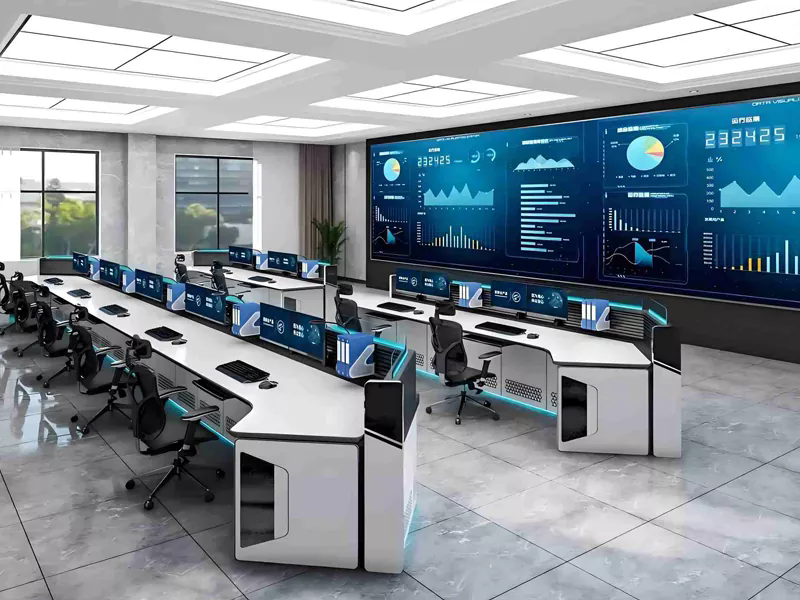
Table of Contents
- What is a Command Center Console?
- Key Benefits of Using a Command Center Console
- Design Considerations for Command Center Consoles
- Practical Applications Across Industries
- Tips for Successful Implementation
- Frequently Asked Questions
- Contact Temery
What is a Command Center Console?
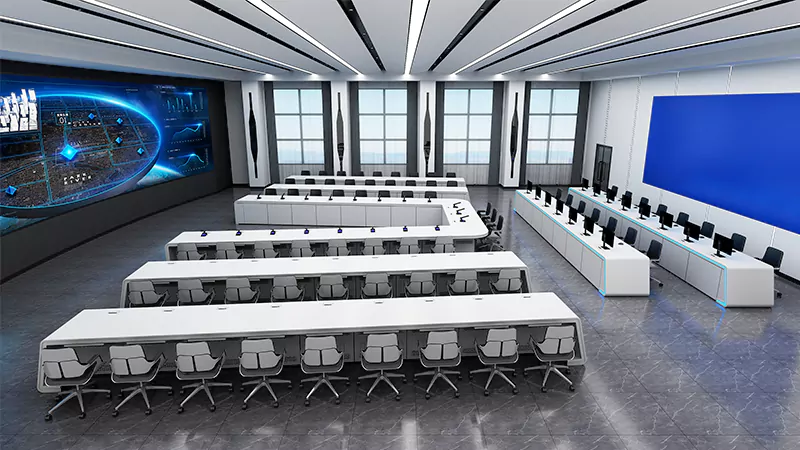
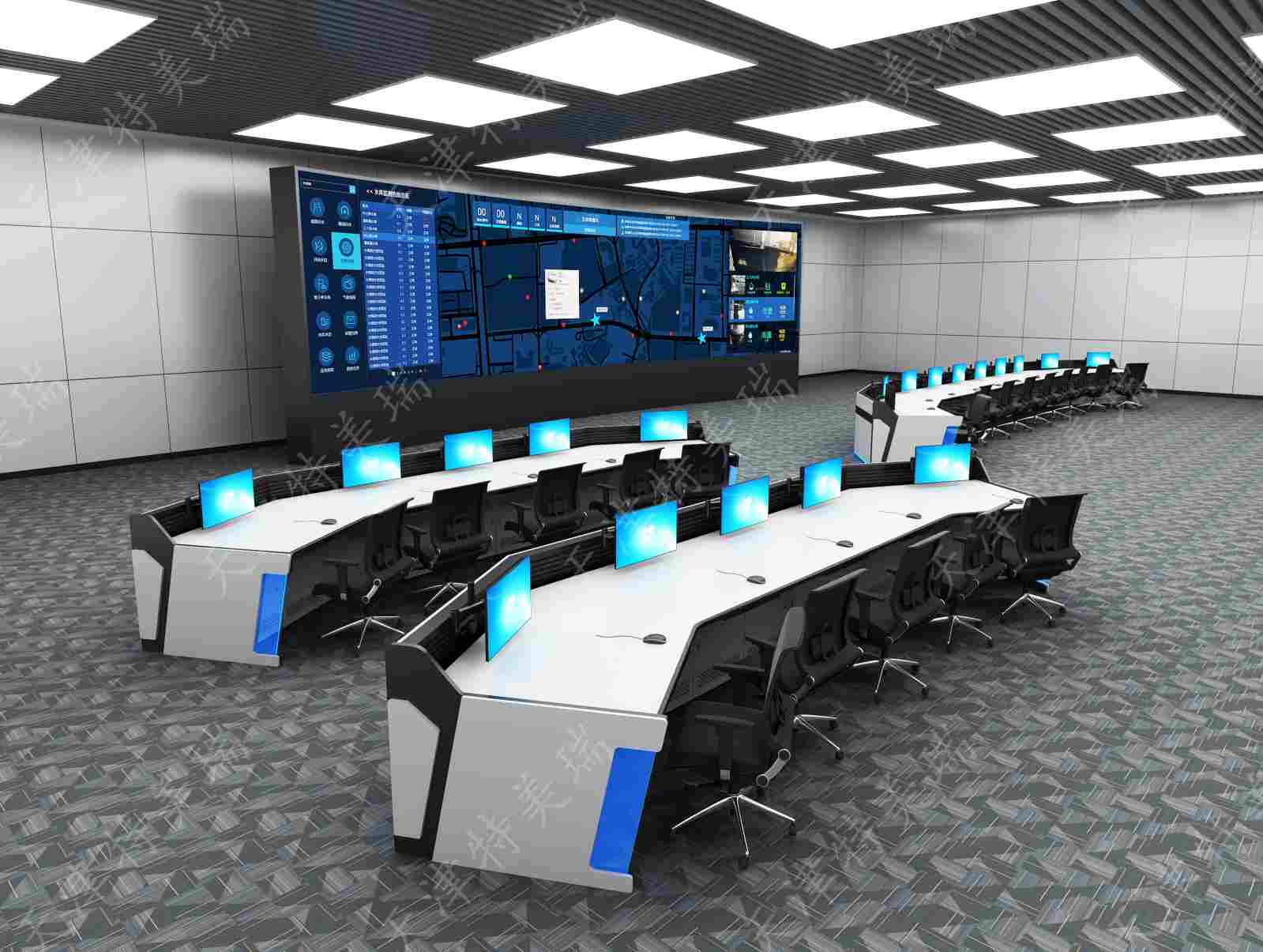
A Command Center Console is a centralized platform designed to provide operators with real-time information, analytics, and control over multiple systems. It integrates hardware and software solutions to monitor operations, detect anomalies, and facilitate rapid decision-making. The console often features modular workstations, ergonomic designs, and intuitive interfaces to optimize user experience.
- Core Components: Screens, control panels, input devices, and integrated software.
- Functionality: Real-time monitoring, alerts management, communication coordination, and reporting.
- User Interface: Customizable dashboards and visual analytics for actionable insights.
Key Benefits of Using a Command Center Console
Implementing a Command Center Console delivers measurable advantages across operational efficiency, safety, and decision-making processes.
| Benefit | Description | Impact |
|---|---|---|
| Enhanced Situational Awareness | Operators receive a comprehensive view of multiple data streams simultaneously. | Faster identification of critical events and improved response times. |
| Centralized Monitoring | All systems are controlled and monitored from a single location. | Reduces operational complexity and human error. |
| Data-Driven Decisions | Advanced analytics and reporting tools support informed decision-making. | Enhances productivity and reduces operational downtime. |
| Ergonomic Design | Modular consoles with adjustable components improve operator comfort. | Minimizes fatigue and supports long-duration shifts. |
Design Considerations for Command Center Consoles
When designing or selecting a command center console, several key factors should be carefully evaluated:
- Ergonomics: Ensure adjustable seating, display height, and layout for operator comfort.
- Scalability: Design for future expansion, including additional workstations and screens.
- Integration: Compatible with existing IT infrastructure and communication networks.
- Security: Implement robust access control and data protection protocols.
- Visualization: High-resolution displays and intuitive dashboards for better situational awareness.
Practical Applications Across Industries
Command Center Consoles are versatile and find applications in various sectors, including:
- Transportation: Traffic monitoring, fleet management, and control centers for airports and rail networks.
- Utilities: Power grid management, water distribution monitoring, and energy control centers.
- Public Safety: Emergency response coordination, surveillance, and disaster management.
- Corporate Operations: Centralized monitoring for IT networks, logistics, and facility management.
Tips for Successful Implementation
To maximize the effectiveness of a command center console, follow these implementation best practices:
- Conduct a thorough needs assessment before designing the console layout.
- Train staff extensively on system functionalities and emergency protocols.
- Regularly update software and hardware to maintain reliability and security.
- Implement continuous feedback loops from operators for usability improvements.
- Plan for redundancy and backup systems to ensure uninterrupted operations.
Frequently Asked Questions
- Q1: How many operators can a command center console support?
- A: Consoles can support single or multiple operators depending on size, layout, and software capabilities. Many systems are modular to expand as operational needs grow.
- Q2: Can the console integrate with third-party software?
- A: Yes, modern command center consoles are designed for flexible integration with various third-party systems for monitoring, analytics, and communication.
- Q3: How often should the console hardware be upgraded?
- A: Hardware upgrades are recommended every 3-5 years to keep pace with technological advancements and maintain optimal performance.
- Q4: Is remote access possible?
- A: Many systems offer secure remote monitoring options, allowing supervisors and decision-makers to access data offsite when necessary.
Contact Temery
Investing in a high-quality Command Center Console can transform your operational efficiency and situational control. Temery offers state-of-the-art solutions tailored to your specific requirements. Contact us today to discover how we can optimize your command center experience.
Related News
- The Quiet Workhorse of Critical Infrastructure: Why Monitoring Console Hardware Deserves Its Own Upgrade Cycle
- Will Tomorrow's Monitoring Console Be Voice-Activated and Predictive Instead of Just Displaying Numbers?
- Advantages of modular computer rooms
- Key Functions of Operation Consoles
- How Can You Choose the Right Network Cabinet for Your Business?
- How Outdoor Cabinets Improve Your Equipment Management
Leave me a message